Live demo flow.

From parent check-in to teacher dismissal, DismissalIQ turns a chaotic handoff into a coordinated real-time workflow.

1

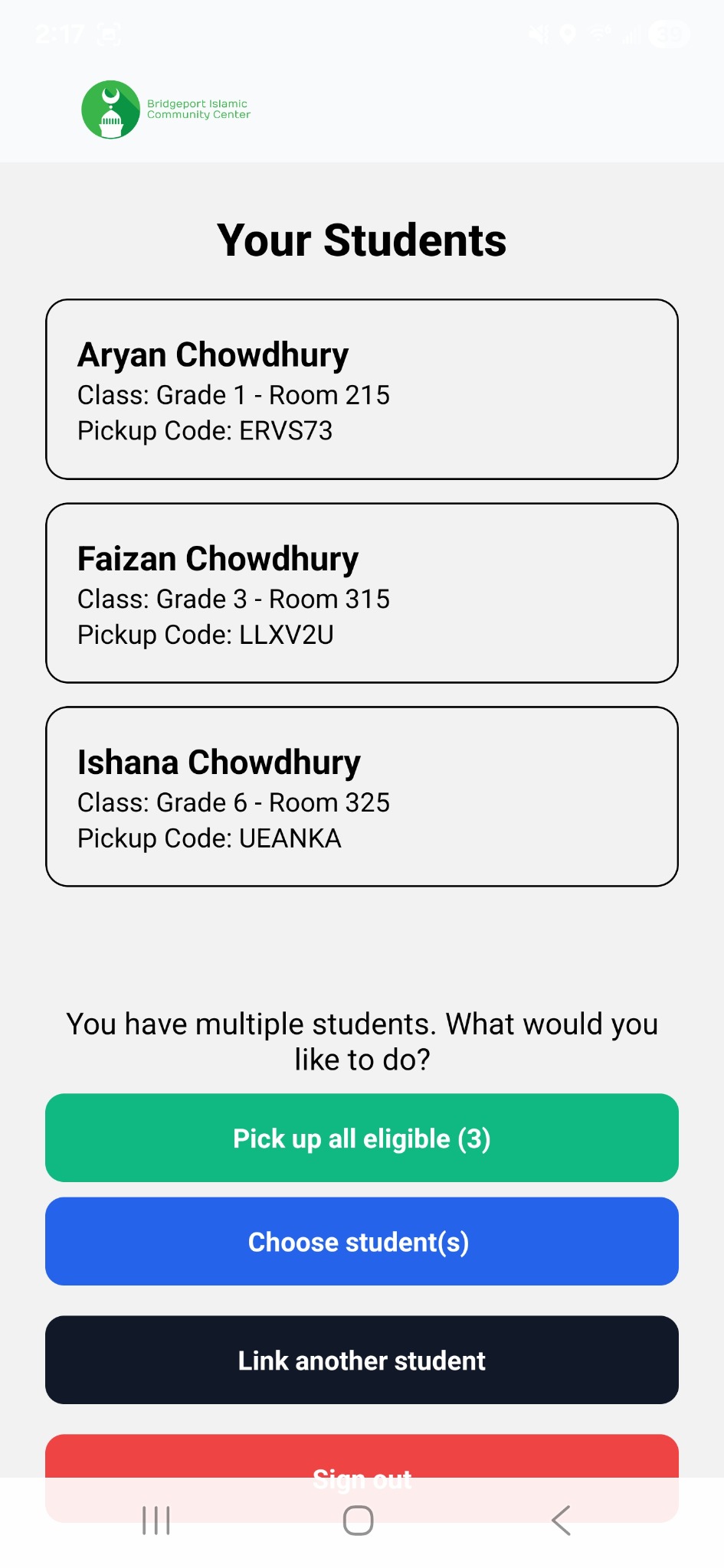
Parent starts pickup

Parent selects one or more linked students in the mobile app.

2

Admin sees request

Pickup request appears in the live admin queue with student and class details.

3

Teacher releases

Teacher sees the classroom board and marks the student dismissed.

4

Status is recorded

The system updates the dismissal record and keeps an operational audit trail.

Parent app

Parent App

Simple, parent-friendly pickup experience.
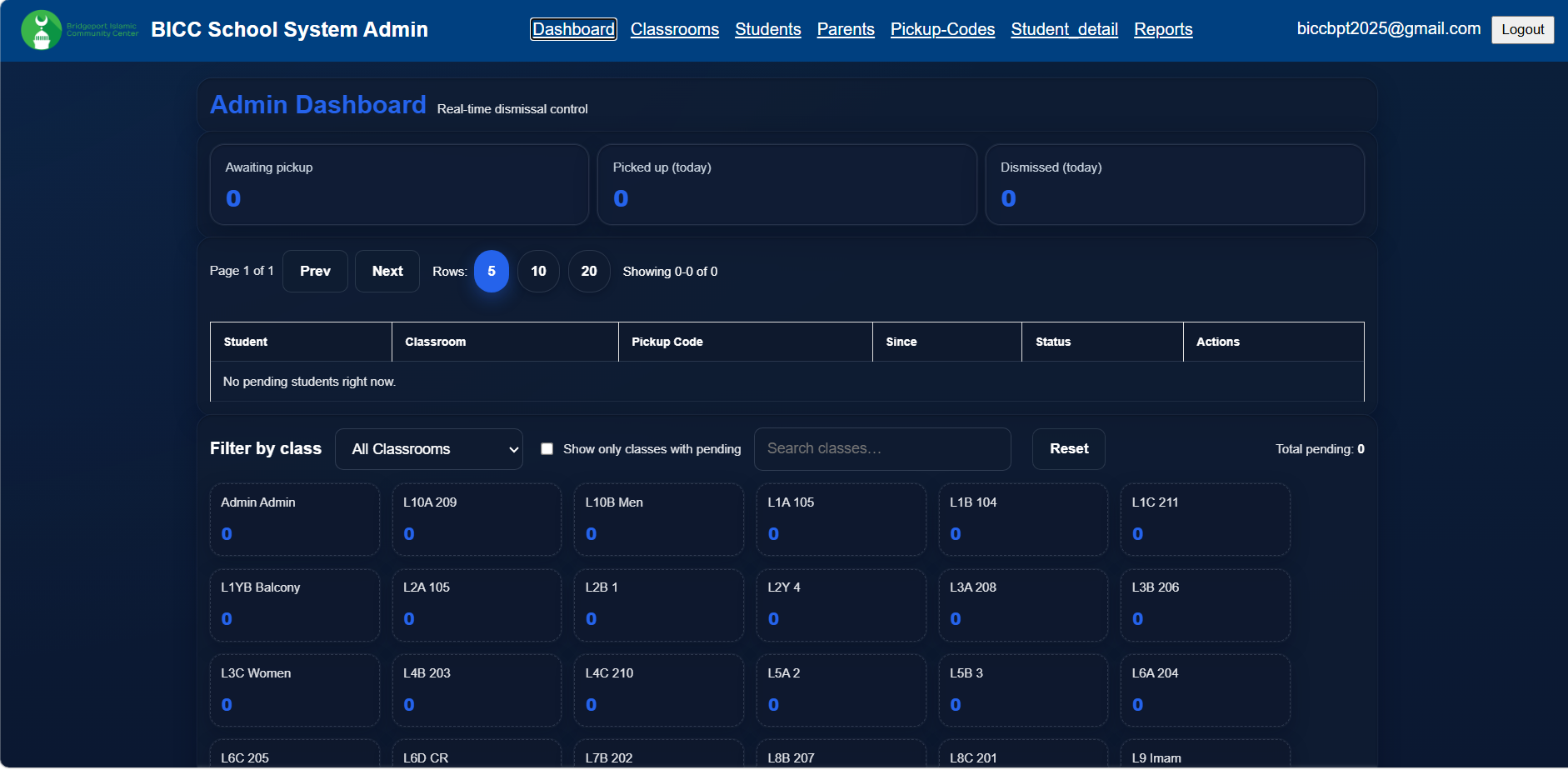
Admin dashboard

Admin Dashboard

Live visibility into awaiting, picked up, and dismissed students.
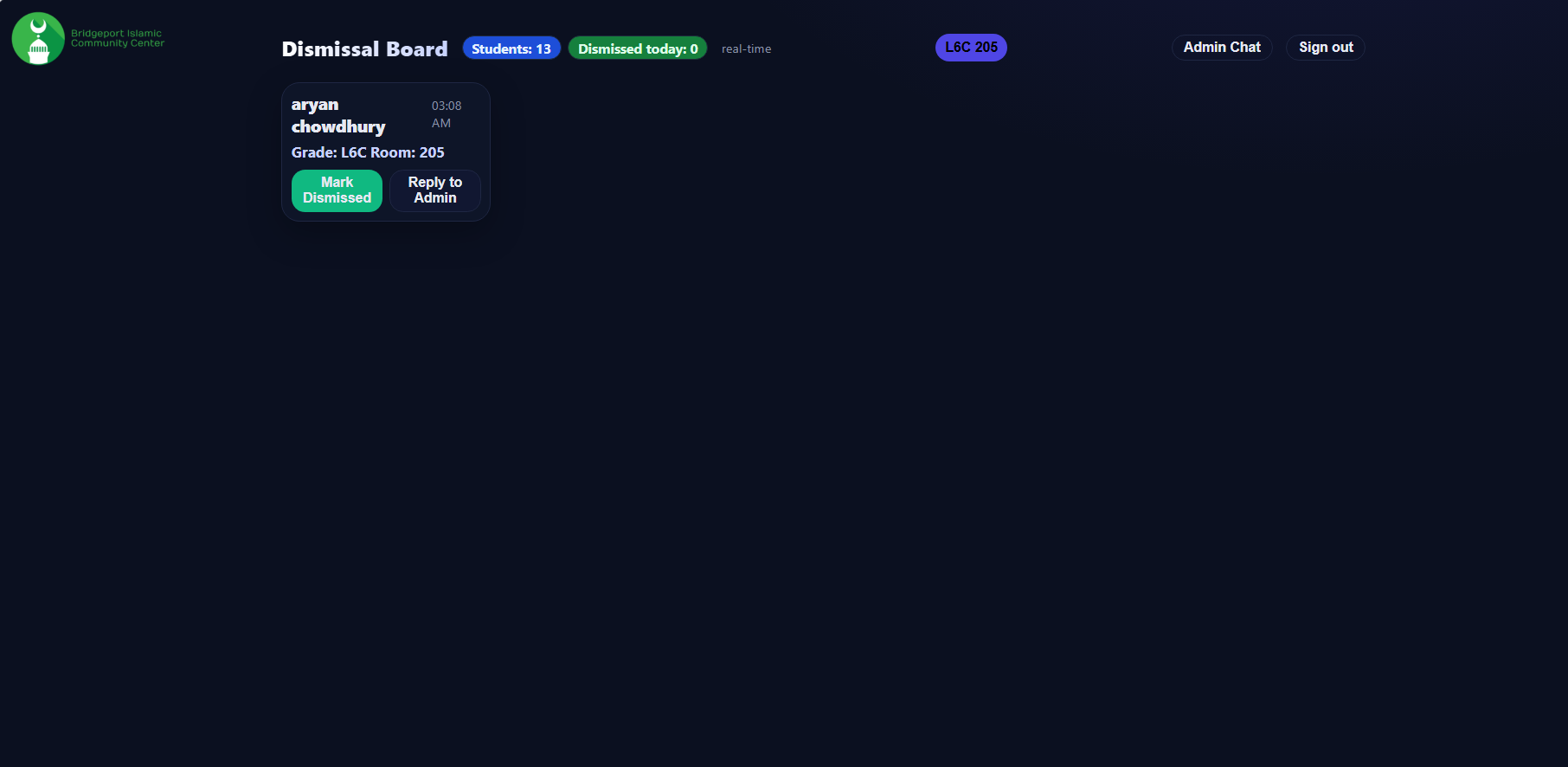
Teacher board

Teacher Board

Classroom-specific dismissal actions for teachers.
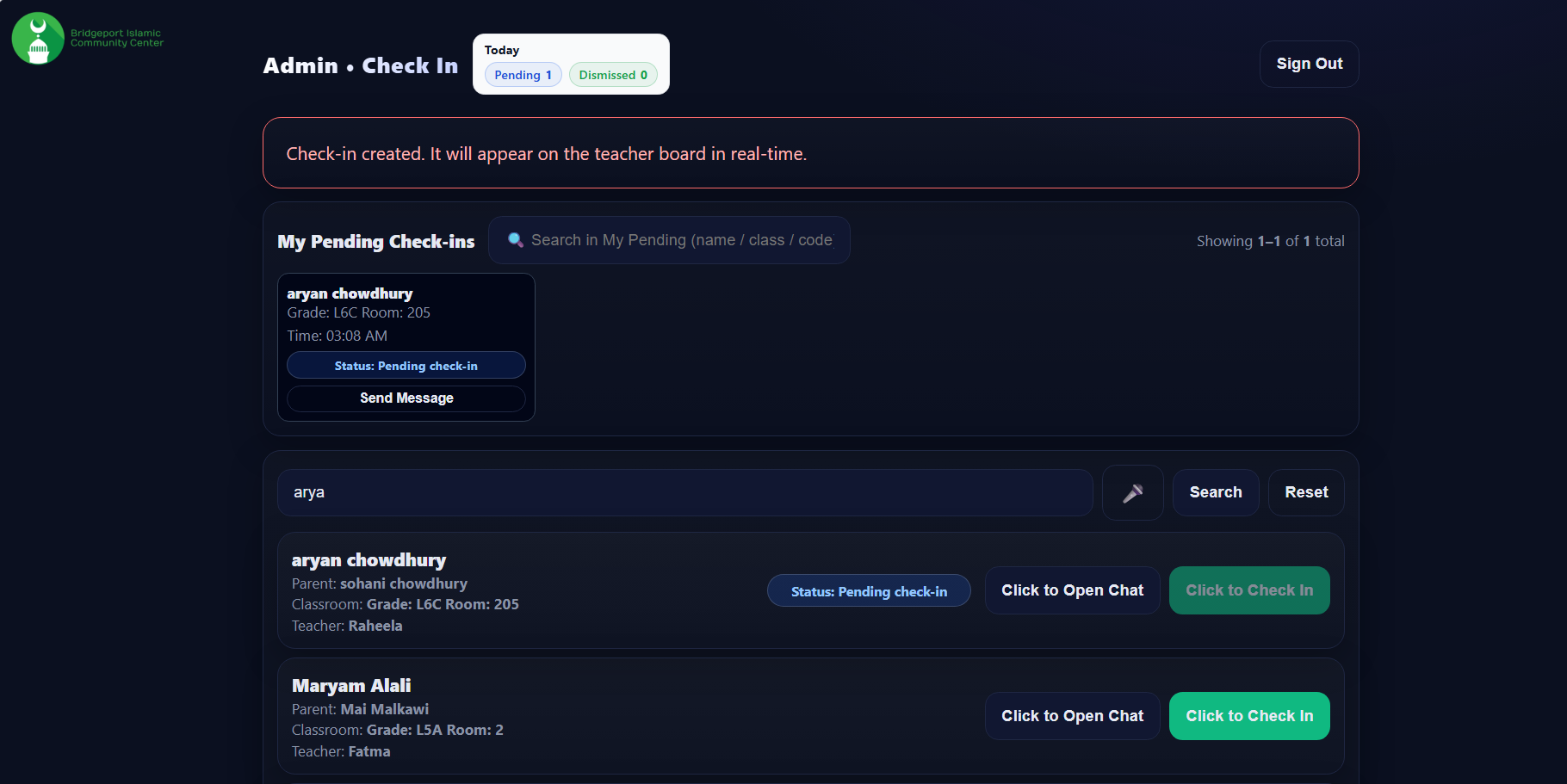
Admin check-in

Admin Check-In

Search, communication, and manual support for special cases.